


Vidius-Stunning Frames
3.9235.00 Reviews
App Specs
- Version
- 1.0.1
- Updated On
- License
- Free
- Downloads
- 500,000+
- Developer
- Edgar Kwena
- Categories
- Entertainment
- Platform
- Android
Screenshots




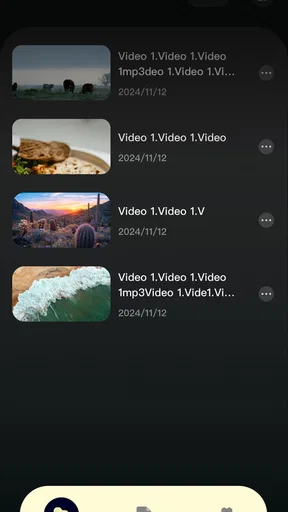
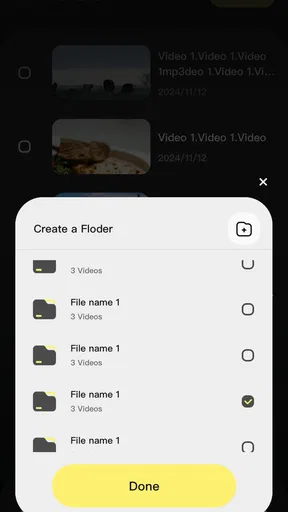
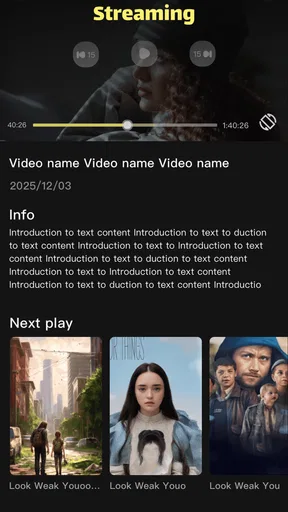
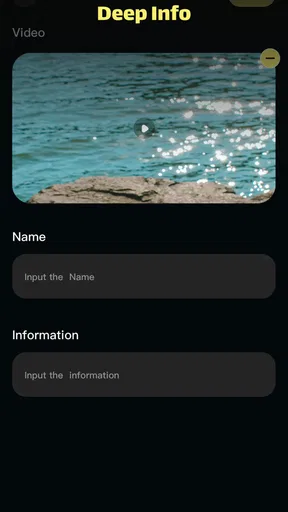
 Analysis by AppCompare
I’d approach Vidius-Stunning Frames as a simple creative tool to try rather than as a full replacement for a dedicated photo editor. If you want to give a picture a more finished look without learning a complicated workflow, the idea is appealing. My first advice is to start with one photo you already like, make a small change, and check whether the result suits the way you plan to use the image.
What to expect from a frame-focused editor
For a first-time user, the useful question is not whether an app can do everything, but whether its particular style of editing fits your routine. Vidius is an entertainment app from Edgar Kwena, and its focus on frames makes it most relevant when you want a photo to feel presented or decorated, rather than when you need detailed retouching. That distinction matters: a border can give a snapshot a clear visual finish, but it cannot rescue a blurry or poorly composed source image.
I’d use it for informal pictures meant for a message, a personal post, or a small collection of memories. I would be more cautious about choosing it for a work task that depends on exact color correction, precise cropping, or a consistent batch of images. If that is your goal, a general-purpose editor with a broader set of controls may be a better starting point.
A reassuring first session
The app is free and rated for Everyone, so trying it does not require a purchase decision or a commitment to a specialist workflow. It has a 4.0 average from 374 ratings, with 51 written reviews, and has passed 100K+ installs. I treat those figures as context rather than proof that it will suit every phone or editing habit; the best test is still whether its approach feels comfortable with a picture you care about.
Once installed, keep your first attempt deliberately modest. Choose a photo with a clear subject and enough space around it, then see how a frame changes the balance of the image. A tight crop may leave a decorative border feeling crowded, while a photo with some breathing room can make the same treatment feel intentional. This simple comparison helps you judge the app’s style before investing time in a larger set of edits.
Turn a first edit into a useful result
A practical everyday example is getting home after a family gathering and wanting to share one candid photo without opening a desktop editor. I’d pick the sharpest image, try a frame that complements its mood, and make only the adjustments needed to keep faces and important details clear. Then I’d compare the edited version with the original before sharing. That last check is worthwhile: a stronger-looking image is not automatically a more natural one.
For a social post, consider where the picture will be viewed. A frame that looks balanced on your phone can take up too much room in a small preview, so inspect the whole image at the size people are likely to see it. For a keepsake, the opposite trade-off may be fine: a more noticeable border can make a single photo feel ready to save or send. Thinking about the destination first is a better guide than choosing an effect simply because it stands out.
Worth Reading Before You Choose

EA SPORTS FC Mobile 26 Is a Bigger Football Game, but It Takes Time

Flipboard Shows What News Apps Must Do Beyond the Feed

Switching to Android Auto Means Rethinking Your Driving Routine

Google Calendar Makes a Crowded Week Easier to Manage

Ludo King Makes the Most of the Minutes Between Plans

Baby Panda World Brings Quick Play to Modern Phones, but Its Game Library Feels Busy
Where it fits among editing alternatives
Compared with the usual all-purpose photo editors, a frame-oriented app is appealing when you want a quick finishing touch and do not want to navigate a crowded toolbox. The trade-off is that a focused approach is not the same as depth. If you regularly adjust perspective, remove distractions, or need repeatable edits across many images, a broader editor is likely to serve you better. If all you need is a crop or a small light adjustment, your phone’s built-in photo tools may be faster still.
That also helps answer who should skip it. I would look elsewhere if you need a dependable professional workflow, advanced image repair, or extensive control over each part of a picture. I would also avoid making it the only copy of an important image: keep the original unchanged until you have checked the finished version and know it is the one you want to share or keep.
The app is listed as version 1.0.1, with Android 7.0 as its minimum operating system. Those details make it easier to judge whether it is a possible fit for an Android device, but they do not guarantee identical behavior across every handset. For a low-risk first try, use a nonessential photo, make one edit, and see how comfortably the result fits your usual way of saving or sharing pictures.
Vidius-Stunning Frames was released on January 25, 2026. Since it is a relatively recent release, I would keep expectations practical: try the current experience for the task you actually have, rather than assuming it already covers every editing need. That is especially sensible if you depend on a particular look or want to use the same treatment repeatedly.
One small but useful habit is to compare several candidate frames on the same photo rather than judging each option on a different image. It separates the effect of the frame from differences in lighting and composition. If none of the choices feels right, leave the photo alone or use a simpler tool; restraint is often better than adding decoration that competes with the subject.
Ever stumbled upon an app that makes you go, "Wow, I didn’t know I needed this until I tried it"? Well, let me introduce you to Vidius-Stunning Frames. This app is like having a professional photo editor right in your pocket, without the need to shell out big bucks or spend hours learning complex software. So, buckle up as I walk you through my experience with this nifty little tool.
The First Impressions
When I first downloaded Vidius-Stunning Frames, I was pleasantly surprised by its sleek and intuitive design. You know how some apps bombard you with ads or have those annoying pop-ups? Thankfully, that’s not the case here. The interface is clean, and navigating through the features feels as smooth as butter. Whether you're a seasoned photographer or just someone who loves to play around with images, the ease of use is a big win.
Features That Caught My Eye
Let’s dive into what makes Vidius-Stunning Frames stand out from the pack. First up, the frame selection. The app boasts a wide array of stunning frames that cater to various styles and moods. From vintage and retro to modern and minimalistic, you’ll find a frame that fits any occasion. It’s like having a mini art gallery at your fingertips.
Another feature worth mentioning is the editing tools. Don’t let the simplicity of the app fool you; it packs a punch with its powerful editing capabilities. Whether you need to adjust brightness, contrast, or saturation, it’s all there. Plus, the app offers a handful of pre-set filters that can instantly elevate your photos from mundane to magnificent.
Usability and Performance
Alright, let’s talk about how it performs on a day-to-day basis. Honestly, I was impressed by the app’s speed and responsiveness. No one likes waiting around for ages while an app processes your edits, right? With Vidius, edits are swift and seamless, making it perfect for those quick social media uploads or last-minute photo tweaks.
Moreover, the app doesn’t hog your device’s resources, which is always a plus in my book. Whether you’re using an older phone model or the latest gadget, Vidius runs smoothly without any noticeable lag or crashes. That’s a testament to its robust design and optimization.
Why You Should Give It a Go
If you’re still on the fence about downloading Vidius-Stunning Frames, let me give you a nudge. This app is ideal for anyone looking to add a touch of professionalism to their photos without the hassle of complicated software. You don’t need to be a tech wizard to create stunning visuals; Vidius does the heavy lifting for you.
And let’s not forget the community aspect. The app allows you to share your creations directly on social media or with friends, making it easy to showcase your artistic flair. Plus, the developers are constantly updating the app with new frames and features, keeping things fresh and exciting.
Final Thoughts
In a world where visual content is king, having a reliable photo editing tool like Vidius-Stunning Frames can make all the difference. Whether you’re capturing candid family moments or crafting the perfect Instagram post, this app has got you covered. So, why not give it a whirl? You might just find it becoming your go-to app for all things photo-related.
And there you have it, folks. My take on Vidius-Stunning Frames—a simple yet powerful tool that brings out the best in your photos. Now it’s your turn to try it out and let your creativity shine!
Pros
- User-friendly interface with intuitive navigation.
- Wide variety of stunning frame designs.
- High-quality image processing and export.
- Frequent updates with new features and frames.
- Compatible with both Android and iOS devices.
Cons
- Requires in-app purchases for premium frames.
- Occasional ads can disrupt the user experience.
- Limited offline functionality.
- Some frames may reduce image quality.
- Initial setup can be slightly confusing.
FAQs for Vidius-Stunning Frames
What features does Vidius-Stunning Frames offer?
Vidius-Stunning Frames provides a wide range of customizable frames to enhance your photos. It offers tools for adjusting colors, adding filters, and applying artistic effects. Users can also crop, rotate, and resize images directly within the app. The app supports high-resolution exports, ensuring your photos maintain quality.
Is Vidius-Stunning Frames easy to use for beginners?
Yes, Vidius-Stunning Frames is designed with user-friendliness in mind. The intuitive interface allows beginners to navigate through features with ease. There are helpful tutorials and guides within the app that assist users in maximizing their creative potential without overwhelming them with complex options.
Does Vidius-Stunning Frames require an internet connection?
No, Vidius-Stunning Frames does not require an internet connection for its core functionalities. You can apply frames and edit photos offline. However, some features, such as downloading new frame packs or sharing directly to social media, may require an internet connection.
Is Vidius-Stunning Frames available on both Android and iOS?
Yes, Vidius-Stunning Frames is available for download on both Android and iOS platforms. This ensures that users on either operating system can enjoy the app's features. It’s optimized for performance on a wide range of devices, providing a smooth editing experience.
Are there any in-app purchases in Vidius-Stunning Frames?
While Vidius-Stunning Frames offers a robust set of free features, it also includes in-app purchases for additional frame packs and premium editing tools. These purchases enhance the functionality of the app but are not necessary for the core editing capabilities. Users can opt for them to expand their creative options.


